


1. SCENARIO
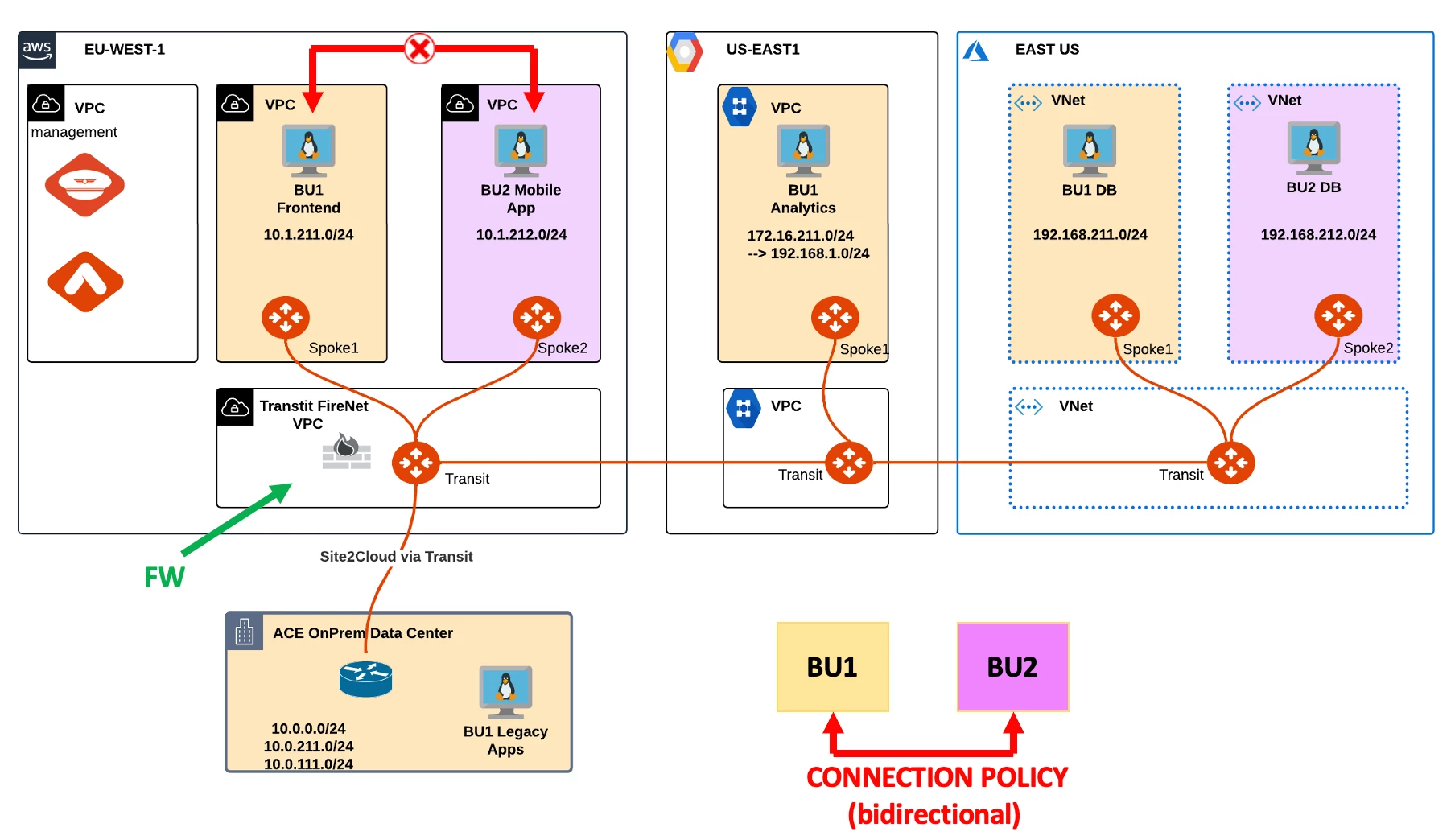
BU1 and BU2 were able to communicate as end of Lab3.
Unfortunately, the network team received another complaint from BU1 Frontend Team that BU2 Mobile App was no longer reachable.
2. TROUBLESHOOT REQUEST
-
Verify that the connectivity between BU1 Frontend and BU2 Mobile App is actually broken.
-
SSH to BU1 Frontend and launch ping/ssh to BU2 Mobile App.
-

-
Check whether the concerned Spokes have the relevant routes or not.
HINT: Go to CoPilot > Cloud Fabric > Gateways > Spoke Gateways > select the concerned gateway in AWS and filter out based on the remote route.
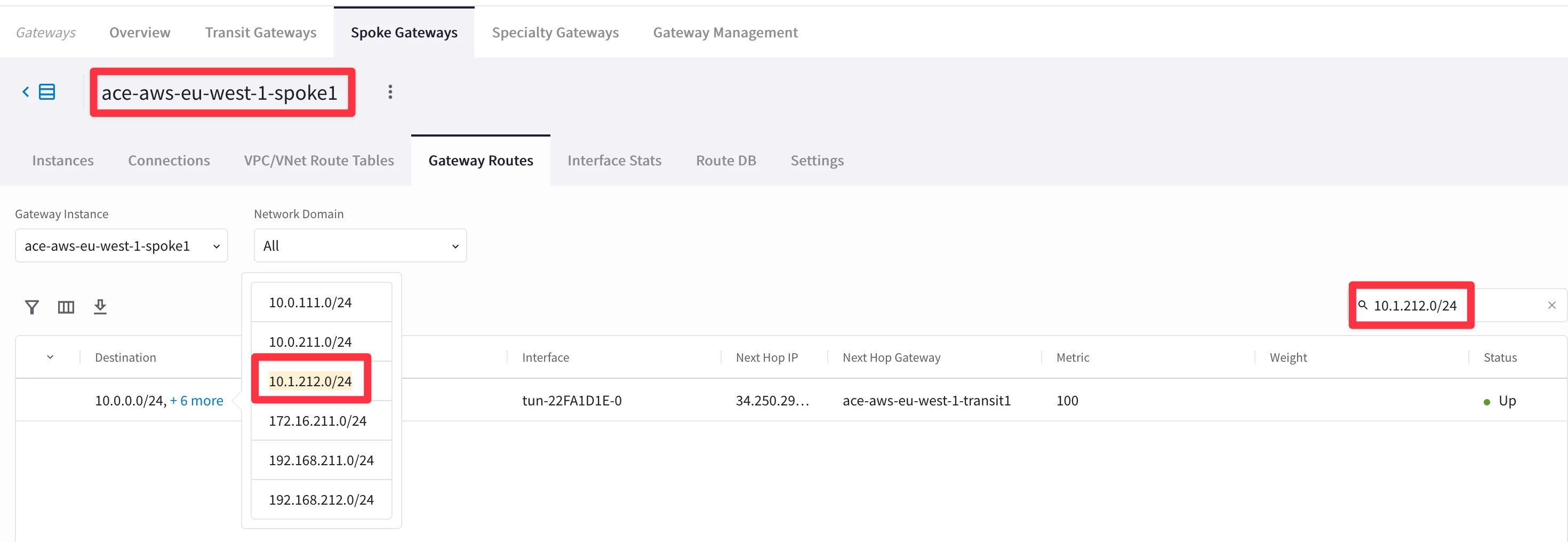
From the outcome above, it is evident that Spoke1 in AWS has the destination route in his RTB.
-
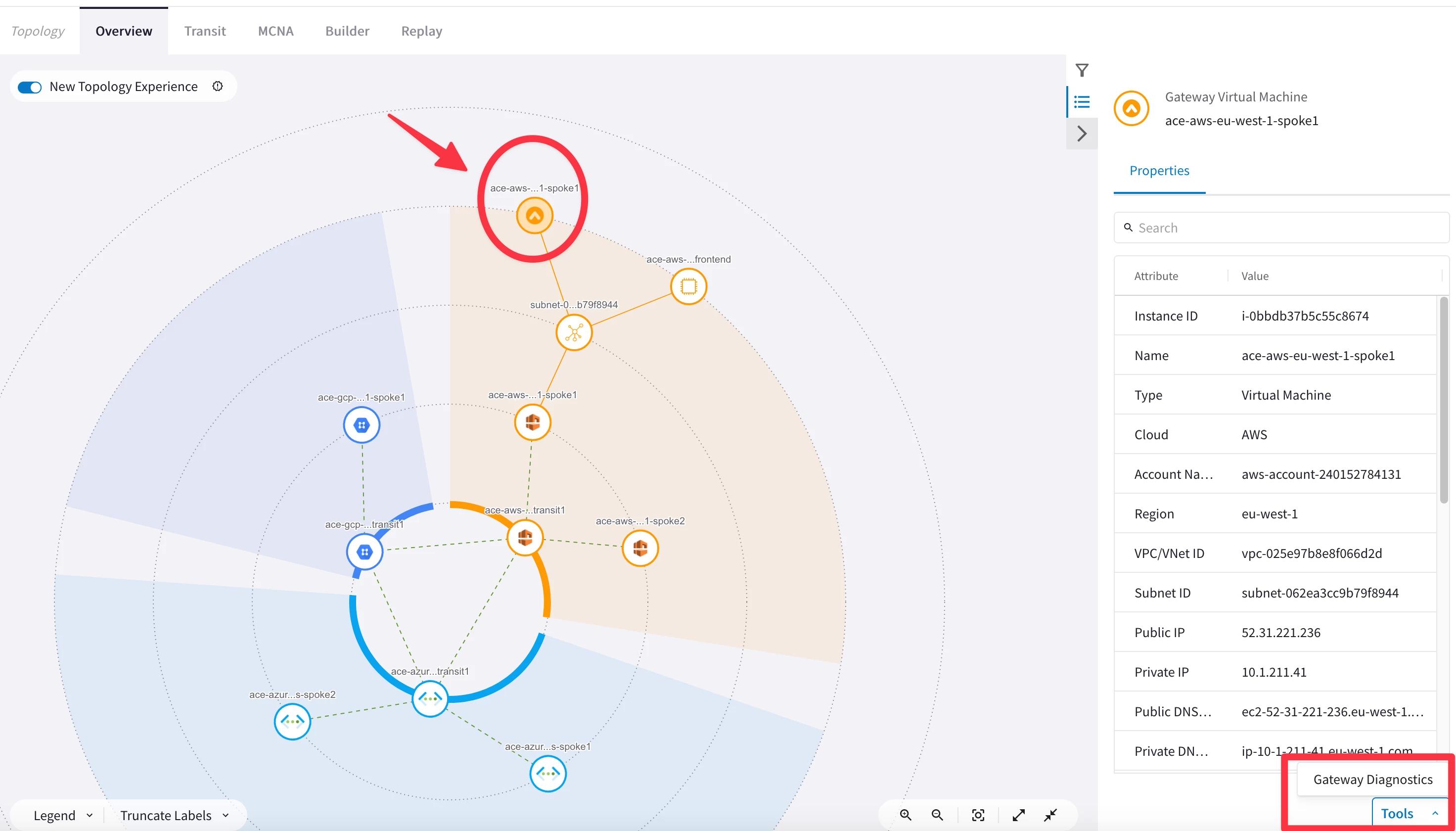
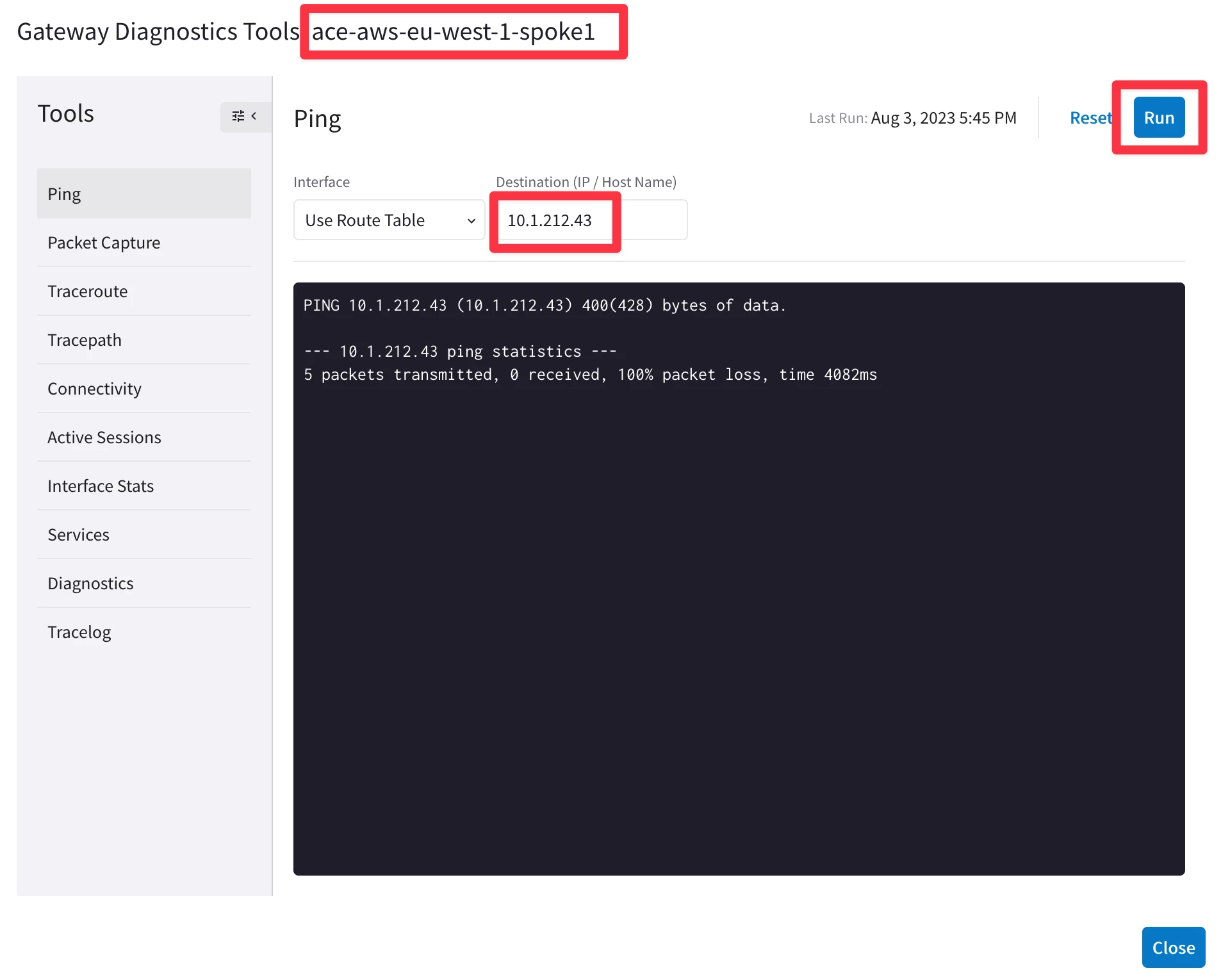
Use Diagnostics tool by clicking on the Spoke1 Gateway in AWS and try to ping/traceroute the instance behind the other spoke.
HINT: Go to CoPilot > Cloud Fabric > Topology and select the concerned Spoke Gateway and click on Tools and then on Gateway Diagnostics.
-
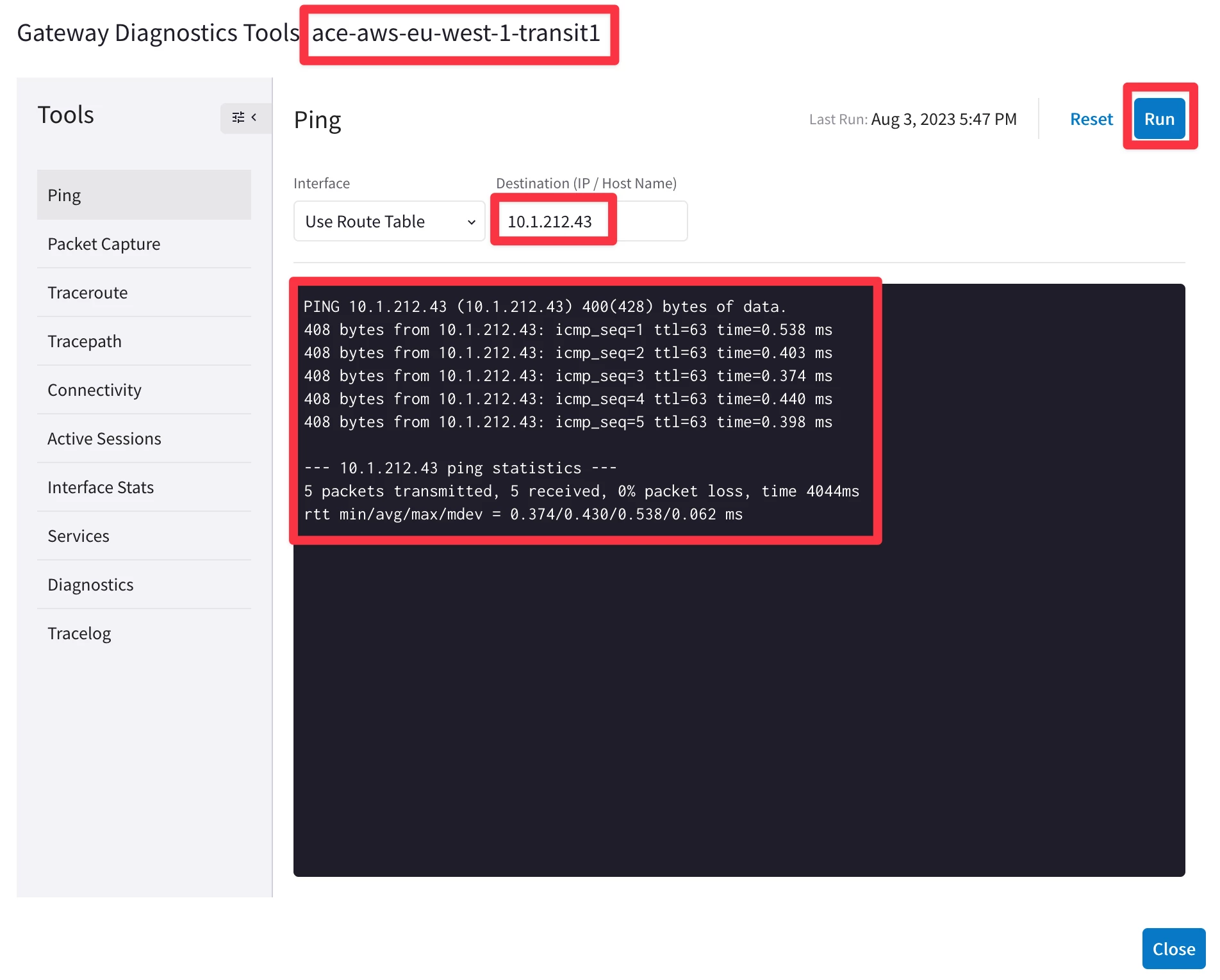
Try to ping both workloads from the Transit.
-
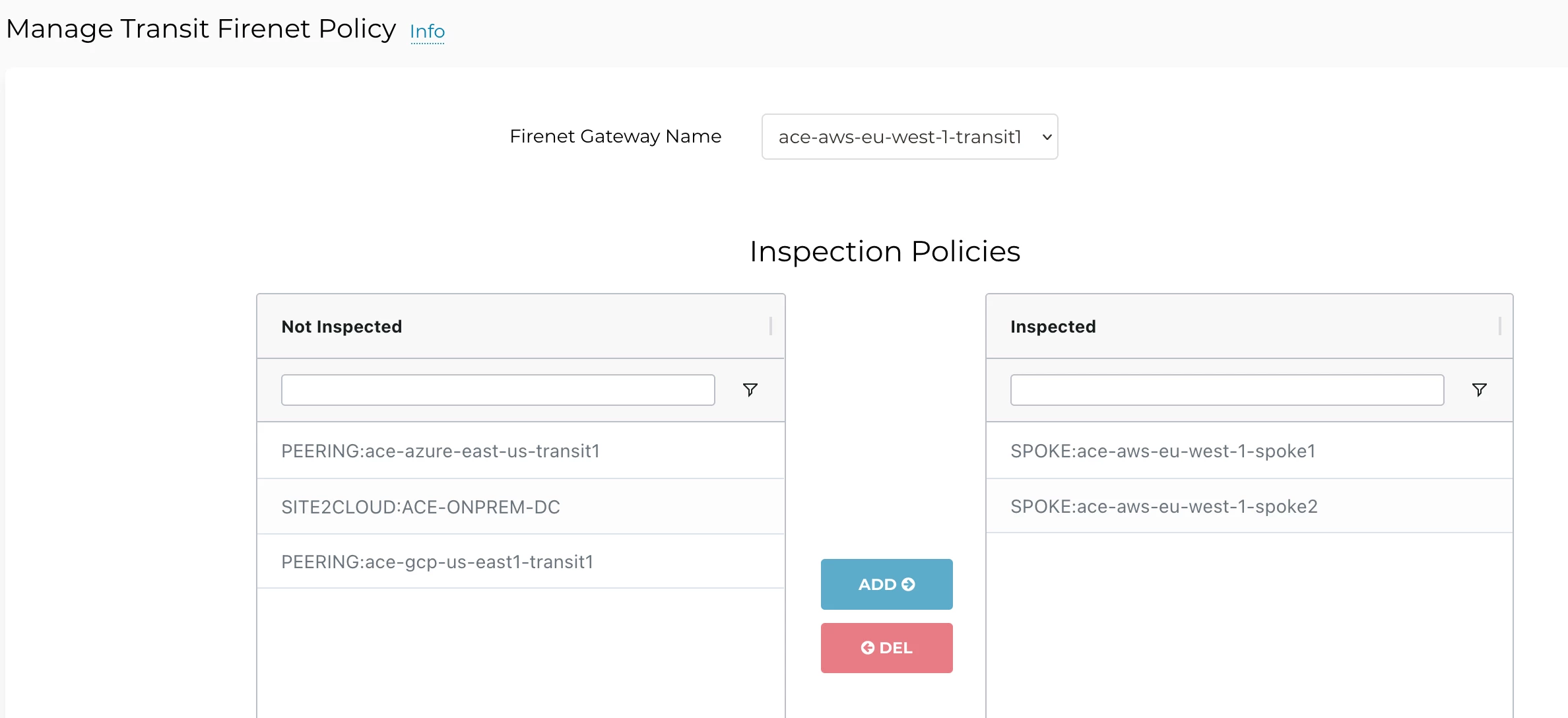
Check if the concerned Spoke VPCs are inspected by FireNet.
HINT: Go to Controller > FIREWALL NETWORK > Policy
-
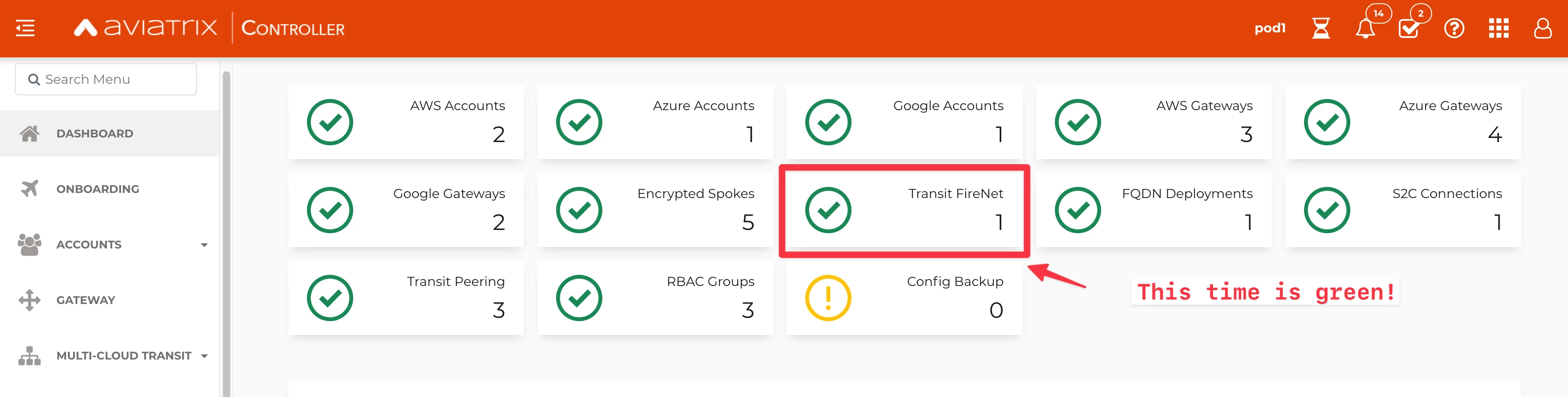
Have a look at the dashboard on the main page of the Controller.
-
Verify the Vendor Integration on the FireNet section on the Controller!
HINT: Go to Controller > FIREWALL NETWORK > Vendor Integration, select the concerned FW, click on EDIT and then click on SHOW.
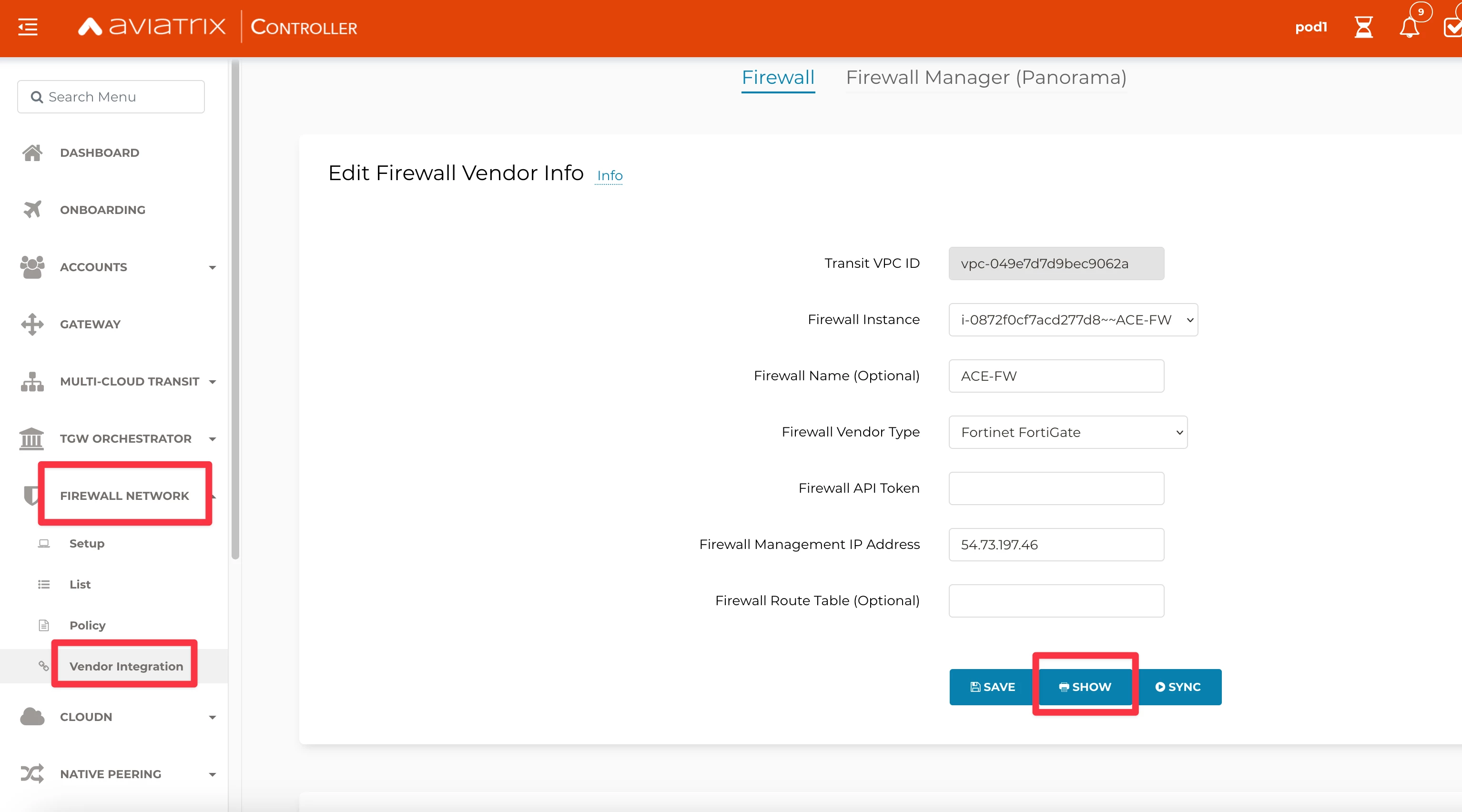
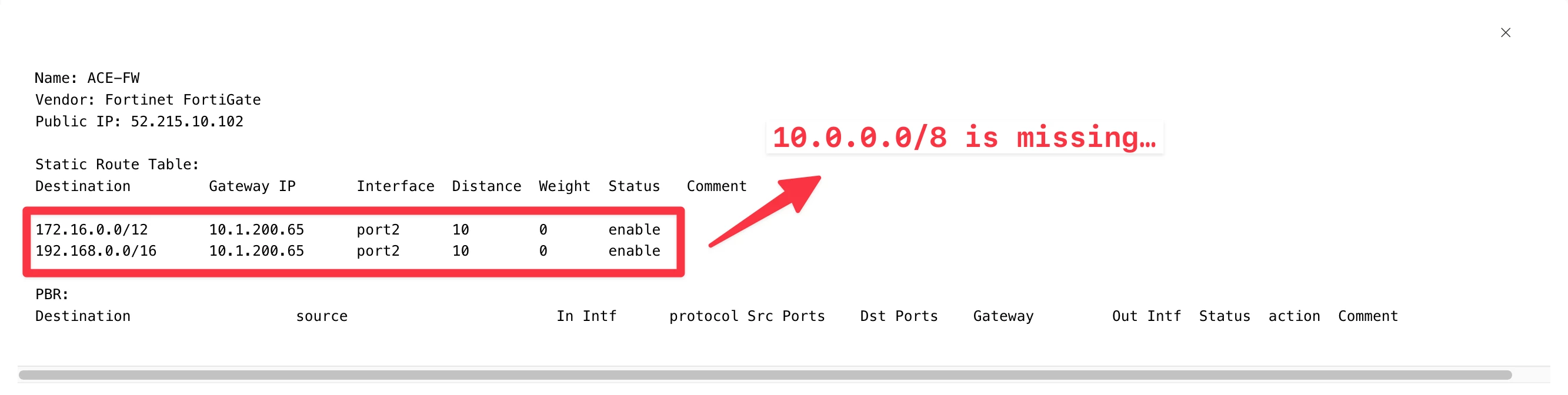
You will notice that the 10.0.0.0/8 is not present inside the routing table of the FW.
- Fix the problem, clicking on the SYNC button, in order to inject again the 10.0.0.0/8 into the RTB.
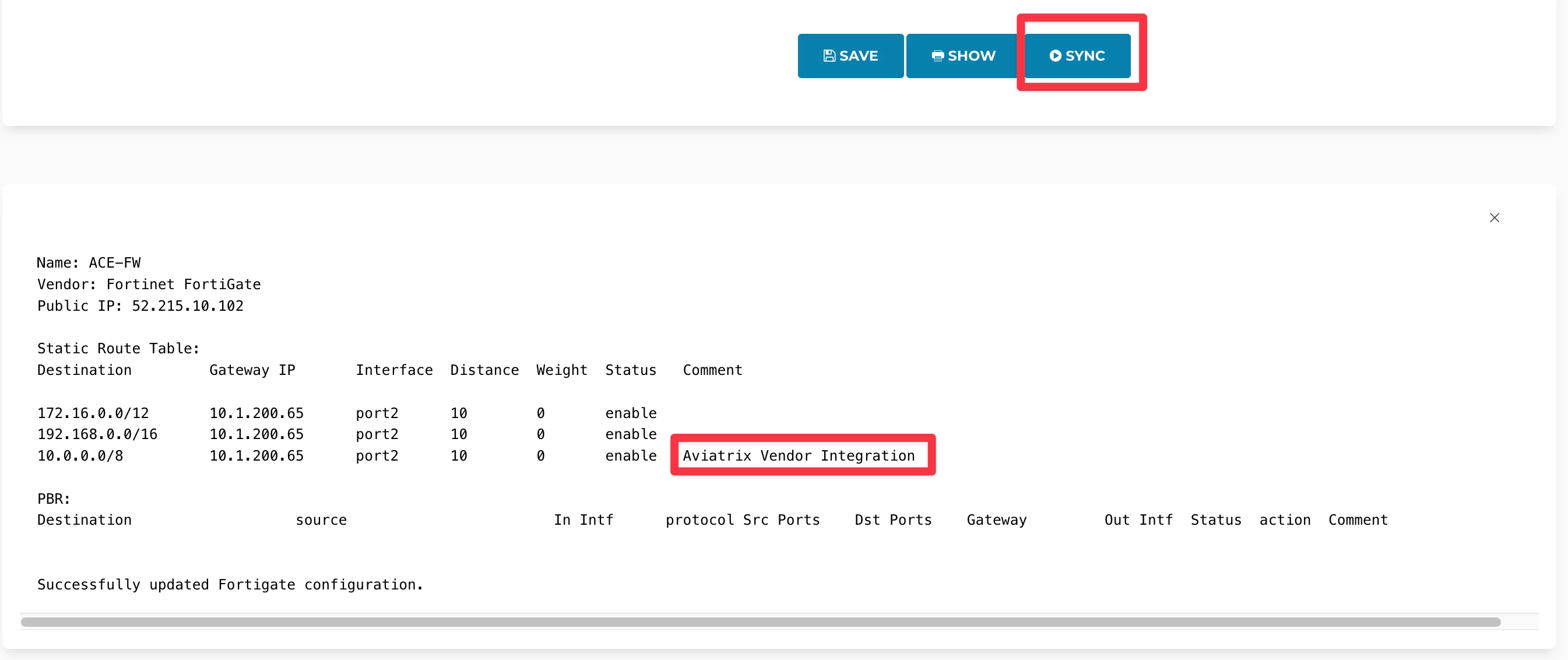
- Relaunch the ping from BU1 Frontend towards BU2 Mobile App.
