


1. SCENARIO
ACE’s environment has been split up in two Smart Groups: BU1 and BU2. Under the hood, there is a flat routing domain, due to the connection policy that merged the two network domains.
Furthermore, a rule has been applied within each Smart Group.
The BU1 Frontend has raised a complaint that is not able to SSH within BU1.
The BU2 Mobile App has raised a complaint that is not able to SSH towards BU1.
You have been engaged to create the following two additional rules:
- Intra-rule: allow SSH within BU1
- Inter-rule: allow SSH from BU2 to BU1
Please bear in mind that BU1 is not allowed to SSH to any instances in BU2.
2. CHANGE REQUEST
-
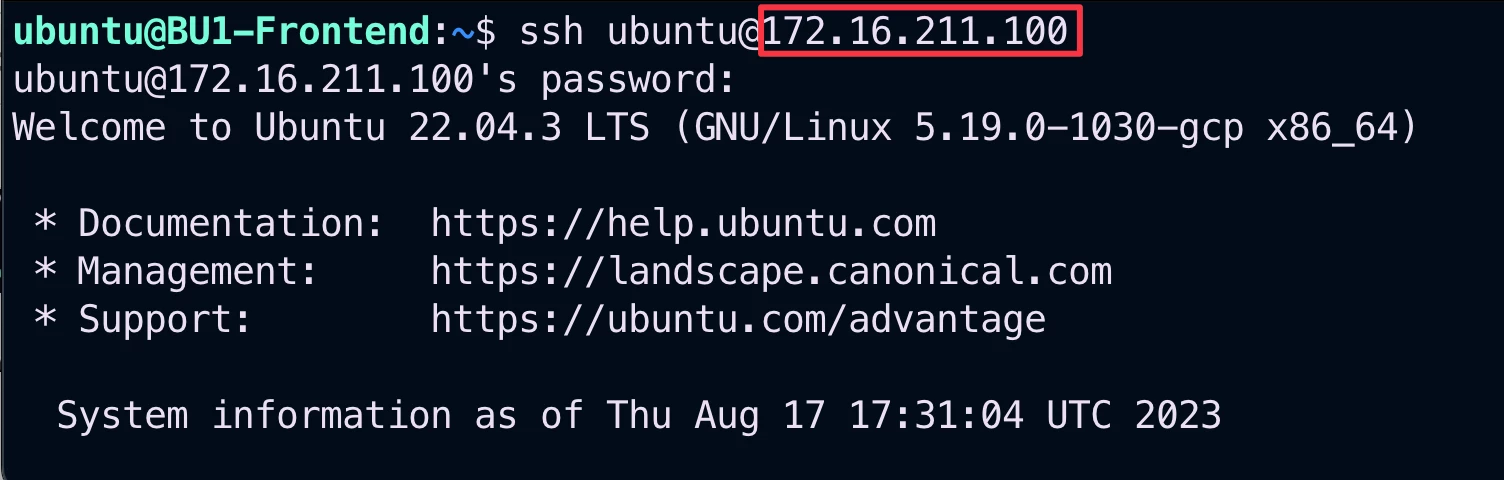
SSH on the BU1 Frontend and try to SSH to any other instance in BU1.
-
SSH fails as expected.
-

-
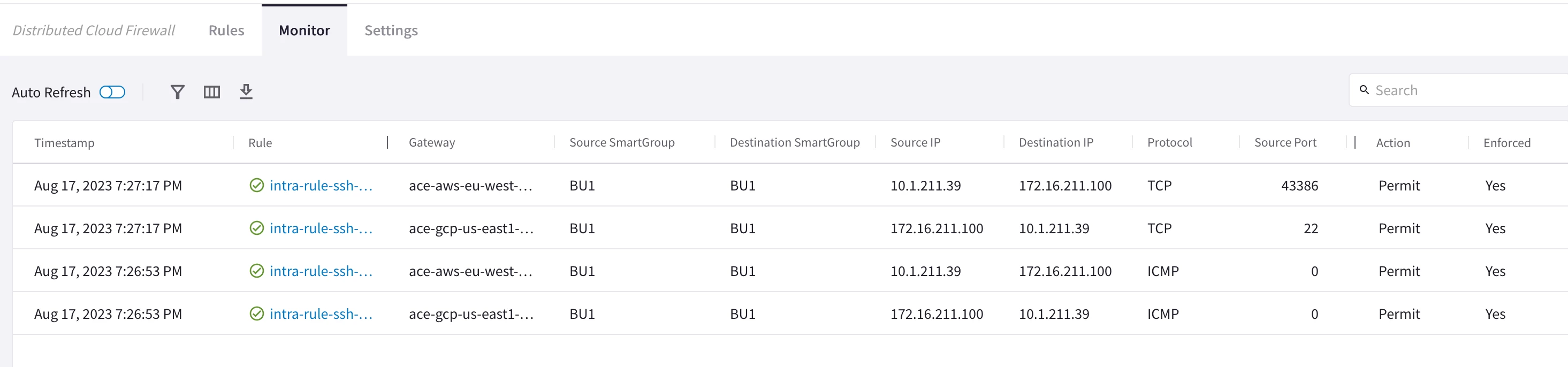
Create an intra-rule that allows SSH within bu1 and then verify that SSH is permitted among bu1’s instances. Do not forget to enable “Logging”.
HINT: Go to CoPilot > Security > Distributed Cloud Firewall and click on +Rule.
Please bear in mind that once the rule has been created is not immediately applied on the Data Plane (i.e. it is just kept in SAVED DRAFTS state). You have to click on COMMIT.
Afterwards try also to check the Monitor section in order to explore the logs!
-
SSH on the BU2 Mobile App and try to SSH to BU1 Frontend.
- SSH fails as expected.
- Refer to your POD portal or check the Topology for the FQDN/IP of BU1 Frontend. Moreover, refer to the private symbolic names or private IPs!

-
Create an inter-rule that allows SSH from bu2 to bu1 and then verify that SSH is permitted from Mobile App BU2 towards Frontend BU1. Do not forgert to enable the “Logging”.
HINT: Go to CoPilot > Security > Distributed Cloud Firewall and click on +Rule.
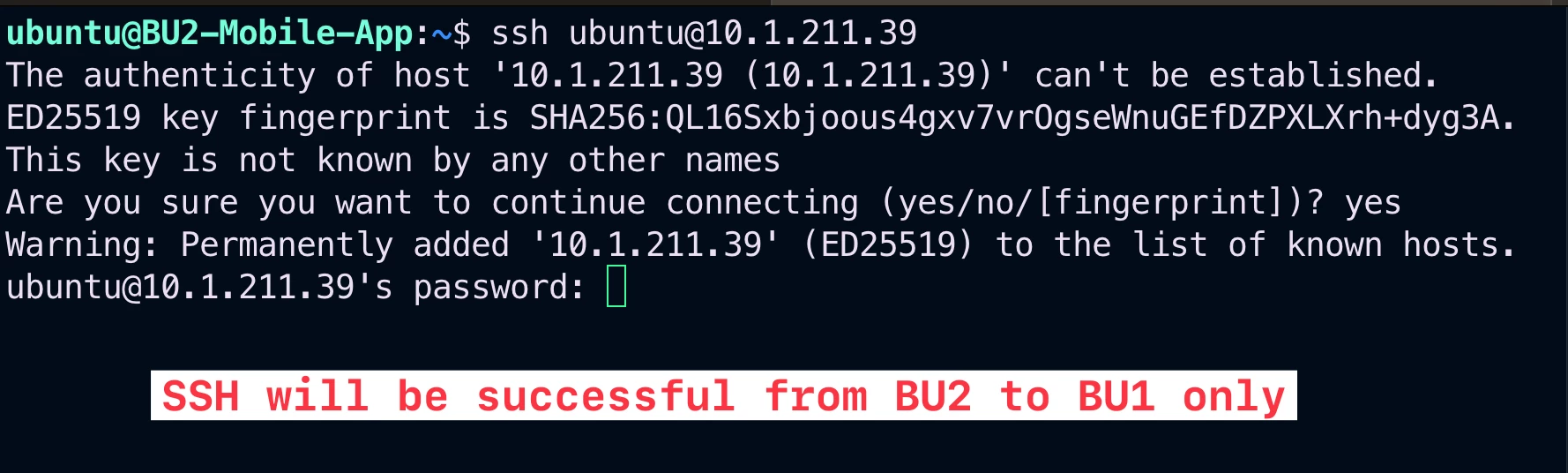
Check again the Monitor section to find out the new logs for the inter-rule!
