


1. Objective
In this lab, we will demonstrate Active/Active communication between the resources utilizing high performance encryption (large number of A/A tunnels) between Aviatrix Gateways (Spoke-to-Transit & Transit-to-Transit).
2. High Performance Encryption and ActiveMesh Overview
Encryption in Cloud could be a compliance, security or business requirement. Hybrid cloud connectivity and in the cloud communication is untrusted. Aviatrix HPE provides high performance end-end encryption from on-prem (private/public connections) to the cloud walled-gardens, between the regions and clouds. It can also help overcome native constructs routing scalability challenges.
Aviatrix ActiveMesh technology provides network resiliency, better convergence and high performance. Both Aviatrix gateways in transit and spoke VPC/VNet/VCNs forward traffic simultaneously. It helps enterprises in traffic engineering and provides deterministic next hop based on path-selection algorithm.
3. Topology
In this lab we will configure the pending attachment between the Spoke Gateways in aws-us-east1-spoke1 and the Transit Gateways in aws-us-east1-transit, and the peering between the Transit Gateways aws-us-east1-transit and the Transit Gateways in aws-us-east2-transit. The Gateways in AWS region us-east-1 are pre-configured with HPE (High Performance Encryption, also known as Insane Mode) and AWS us-east2 region was configured in Lab 3.
Note: Please keep in mind that the Spoke Gateway in azure-us-west-spoke2 VPC will still remain unattached in this lab!
4. High Performance Encryption Configuration
4.1. CoPilot View Before Beginning
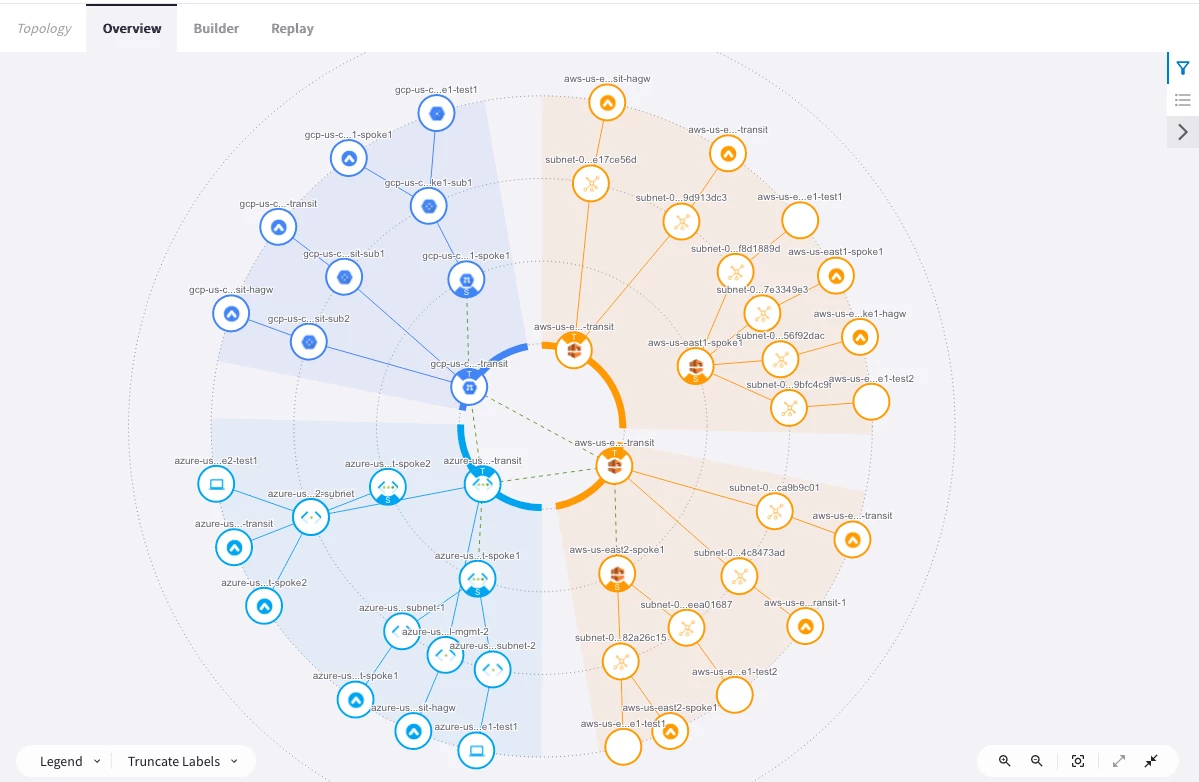
Go to CoPilot > Cloud Fabric > Topology > Overview
Verify aws-us-east-1 has a Transit gateway and a Spoke gateway that are not yet connected.
4.2. Transit-Spoke Attachment
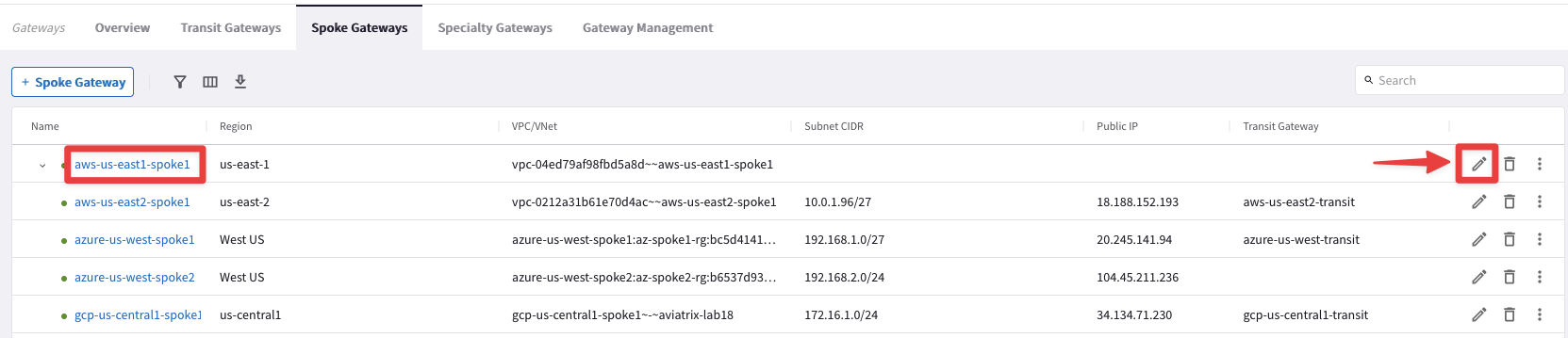
Go to CoPilot > Cloud Fabric > Gateways > Spoke Gateways and edit the Spoke Gateway aws-us-east1-spoke clicking on the pencil icon:
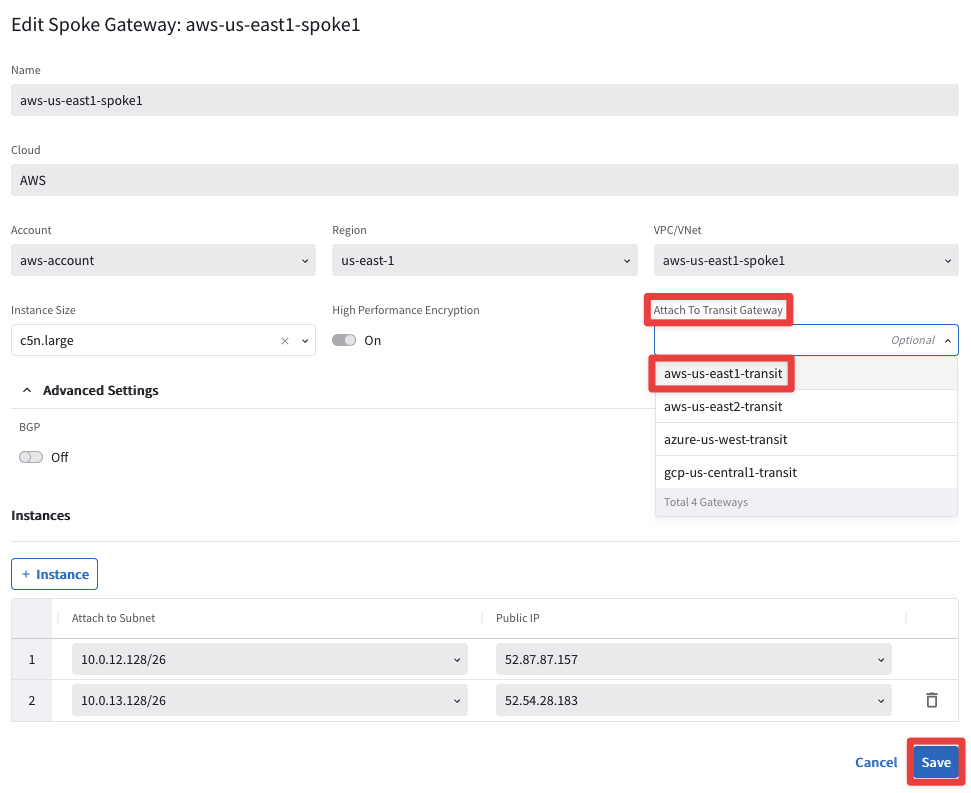
Select the Transit Gateway aws-us-east1-transit from the drop-down window from the "Attach To Transit Gateway" field, and then click on Save.
4.3. CoPilot View After Transit-Spoke Attachment
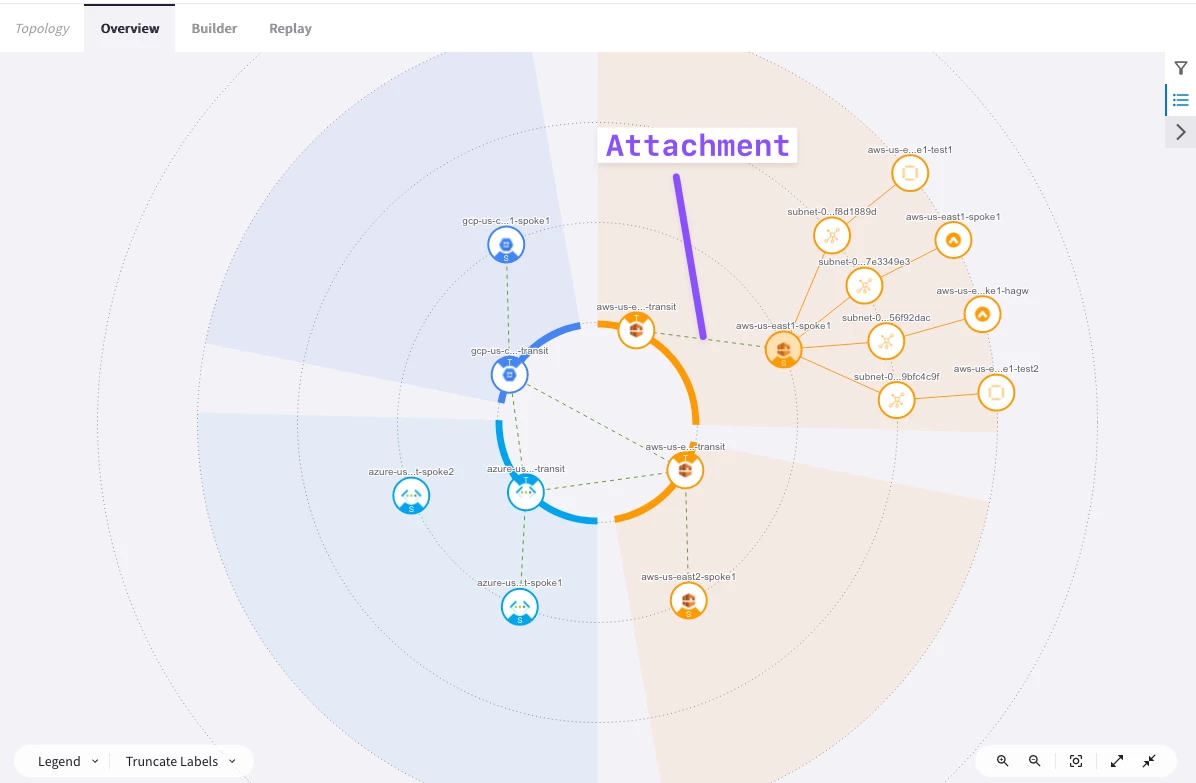
Go to CoPilot > Cloud Fabric > Topology > Overview
Verify aws-us-east-1 Transit gateway and Spoke gateway are now connected.
Tip: Wait a handful of minutes and then refresh the page, in order to see the changes applied on the topology!
4.4. Transit Peering Configuration
Here you will configure Transit Peering between aws-us-east1 and aws-us-east2.
Go back to CoPilot > Cloud Fabric > Gateways > Transit Gateways
- aws-us-east1-transit to aws-us-east2-transit
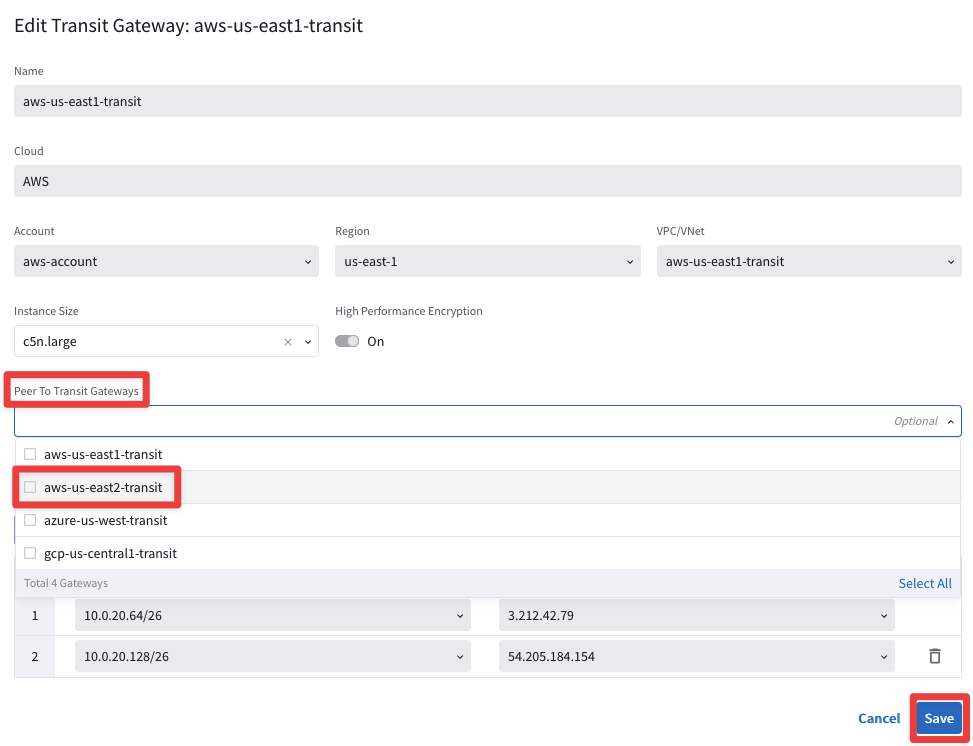
Edit the Transit Gateway aws-us-east1-transit, clicking on the pencil icon:

Select the Transit Gateway aws-us-east2-transit from the drop-down window from the "Peer To Transit Gateways" field, and then click on Save.
4.4.1. Transit Peering Verification
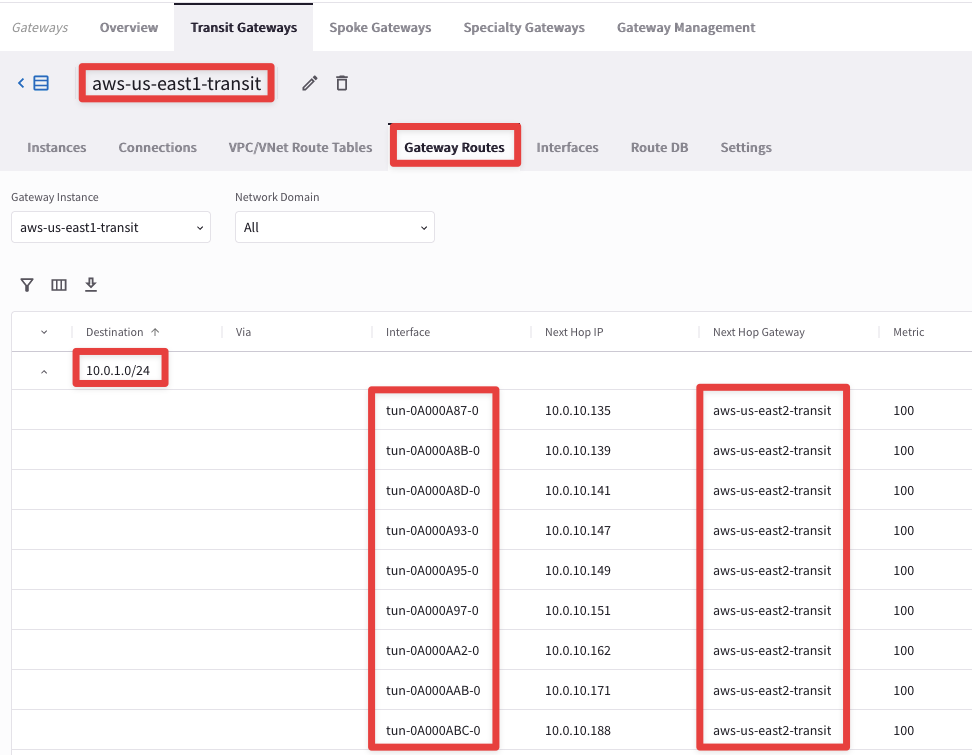
Go to CoPilot > Cloud Fabric > Gateways > Transit Gateways, select the Transit Gatewasy aws-us-east1-transit, select the "Gateway Routes" tab and check the route 10.0.1.0/24 for instance.
Note: It may take a minute or two to reflect here.
You will find out that the route 10.0.1.0/24 is reachable through nine connections with the aws-us-east2-transit:
Likewise, the same route is also reachable via other nine connections but through the Second Transit Gateway aws-us-east2-transit-1:
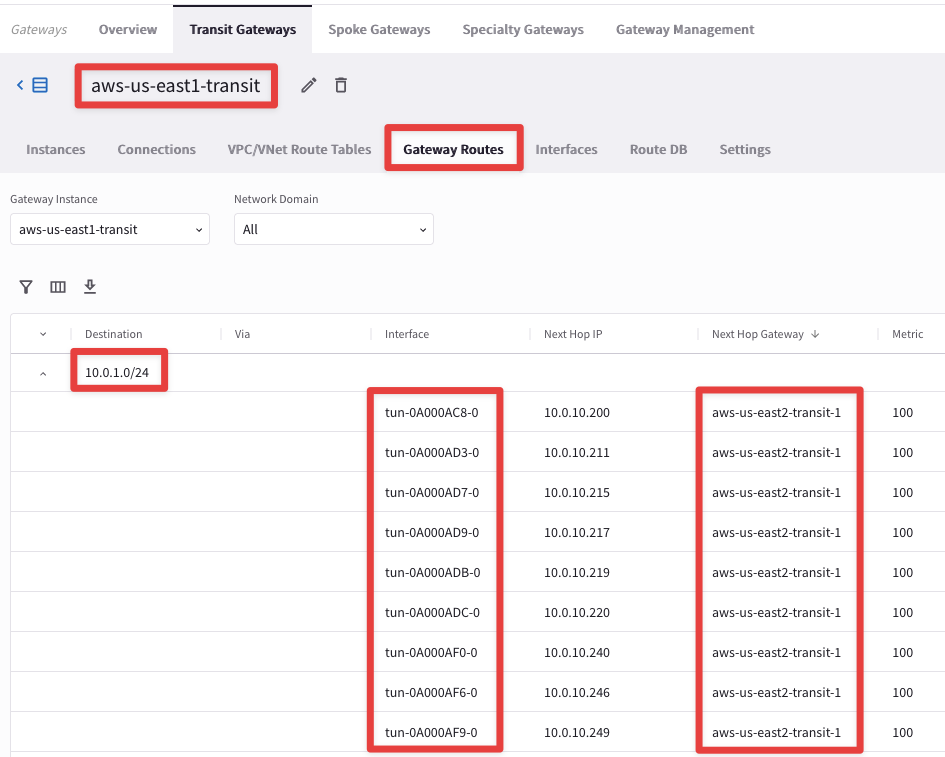
Note: the number of additional connections depend on the size of the Aviatrix Gateway.
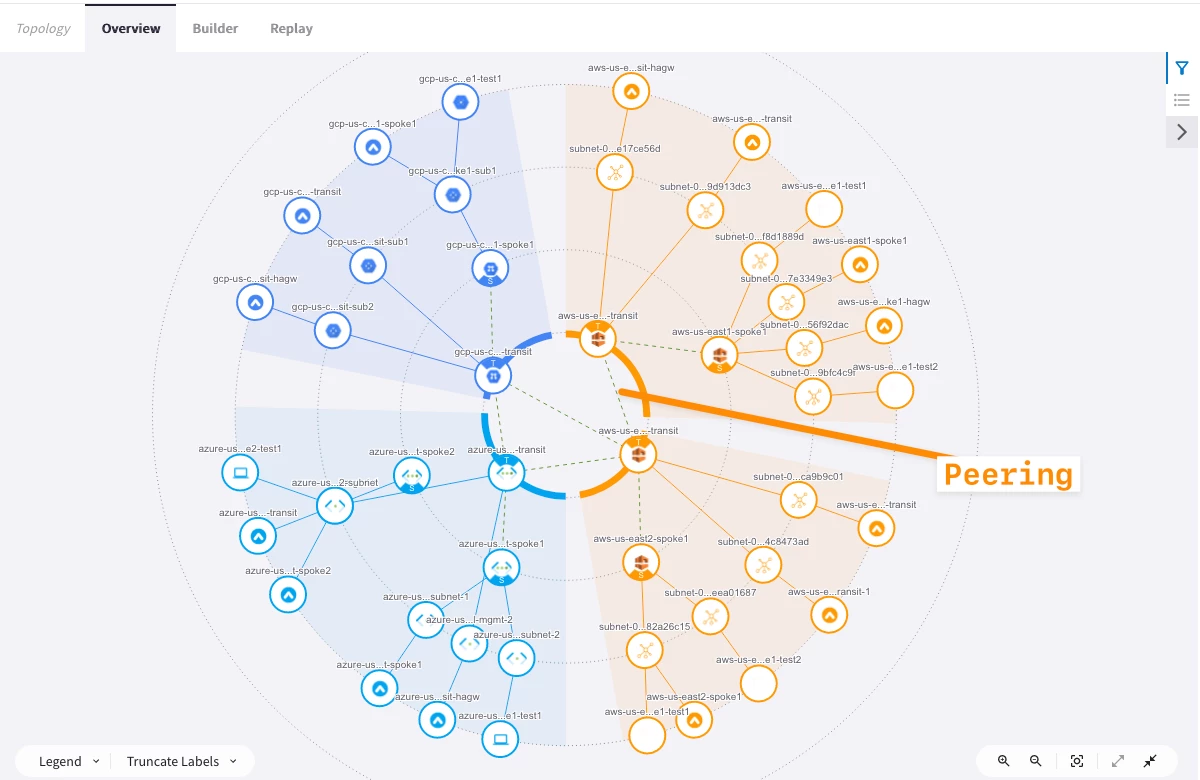
At this point, this is how the overall topology would look like:
This is the topology view from Copilot at this stage:
Remember: The actual configuration of High Performance Encryption was done when the gateways were created before this lab.
5. High Performance Encryption Verification
5.1. CoPilot Verification of the VPC peerings (Transit-Transit and Spoke-Transit)
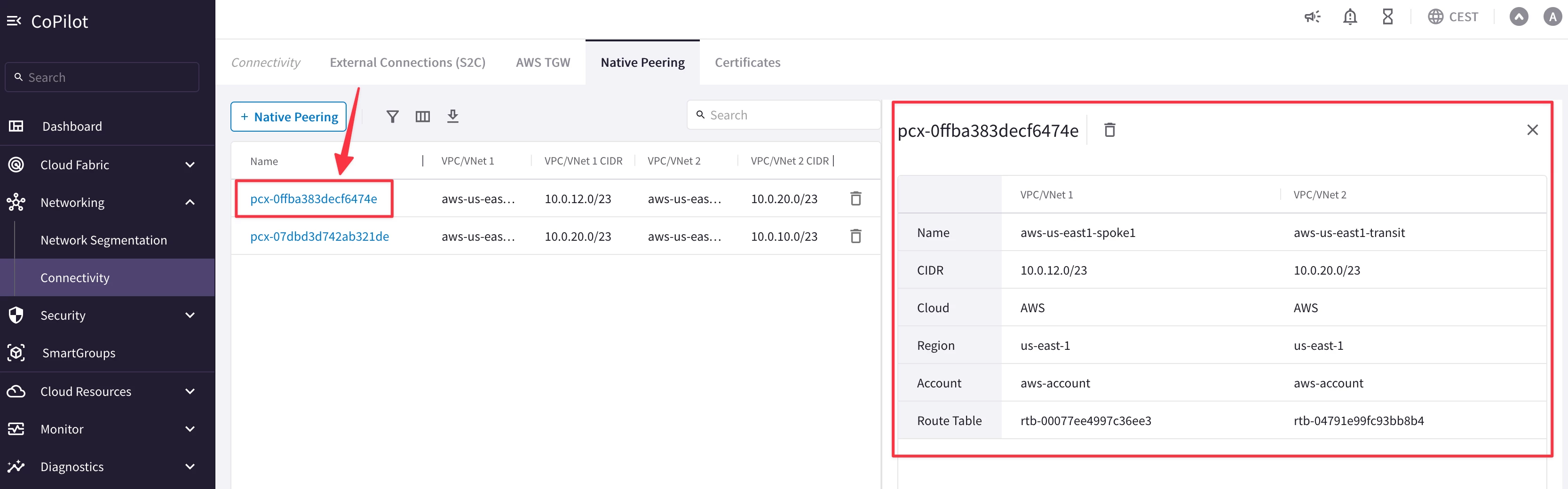
HPE automatically creates an underlying VPC Peering attachment within AWS. Verify it on the CoPilot.
Go to CoPilot > Networking > Connectivity > Native Peering
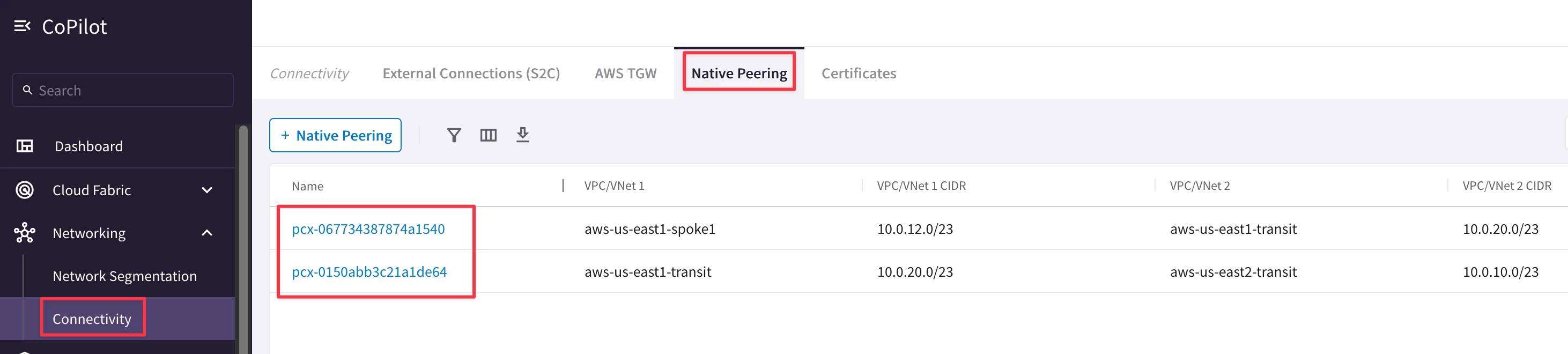
Click on any VPC peerings to expand its properties on the right side.
5.2. CoPilot Verification of HPE
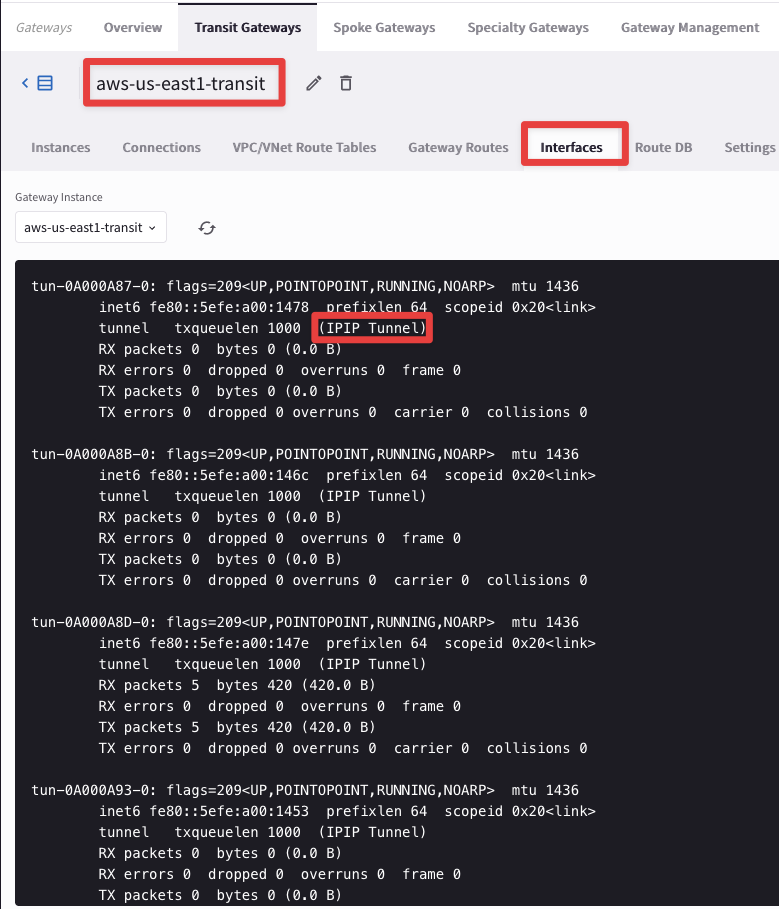
Go to CoPilot > Cloud Fabric > Gateways > Transit Gateways, select the Transit Gatewasy aws-us-east1-transit, select the "Interfaces" tab and check the huge number of tunnel interfaces that HPE has instantiated. These tunnels are used with the Spoke Gateway aws-us-east1-spoke and the Transit Gateway aws-us-east2-transit, because HPE is also enable on these gateways:
6. ActiveMesh
6.1. CoPilot Verification of ActiveMesh
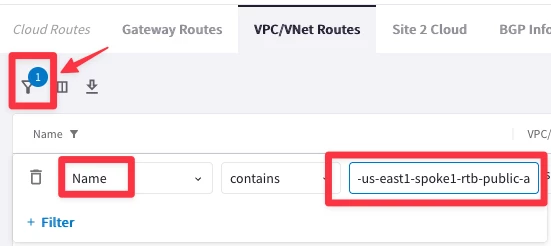
Go to CoPilot > Diagnostics > Cloud Routes > VPC/VNet Routes
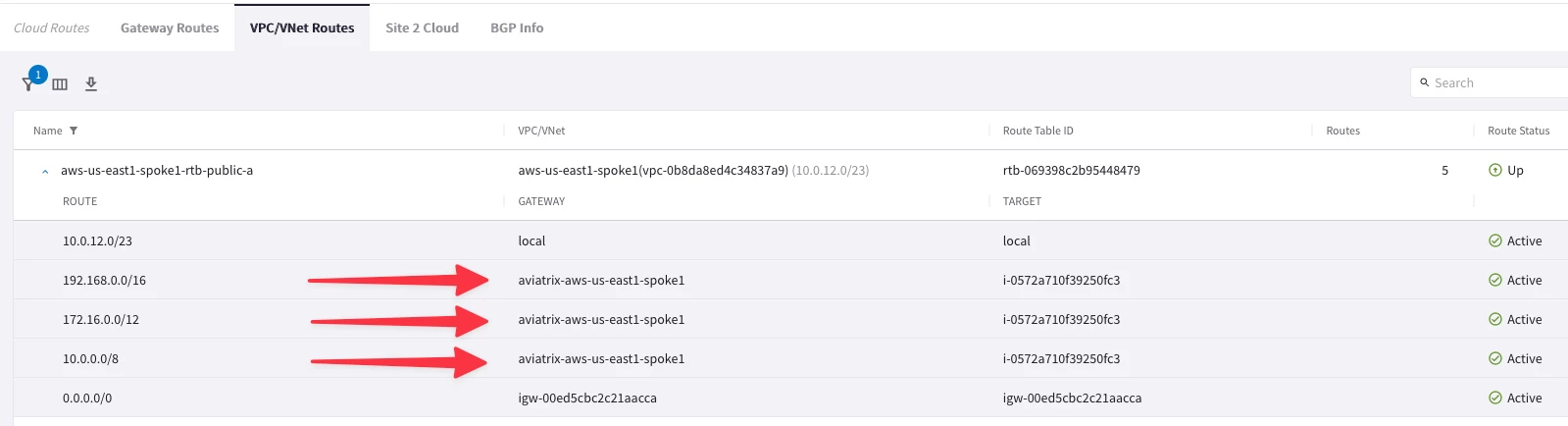
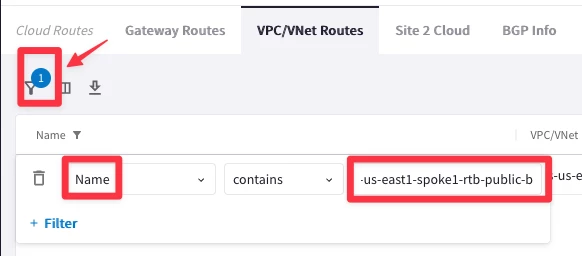
Click the filter button, select “Name” and enter aws-us-east1-spoke1-rtb-public-a to filter by just that route table.
Note that the RFC 1918 summary routes points to Aviatrix Spoke gateway for this routing table programmed by Aviatrix Controller:
Select aws-us-east1-spoke1-rtb-public-b. Note that the RFC 1918 summary routes points to the Aviatrix Second Spoke gateway for this routing table programmed by Aviatrix Controller:
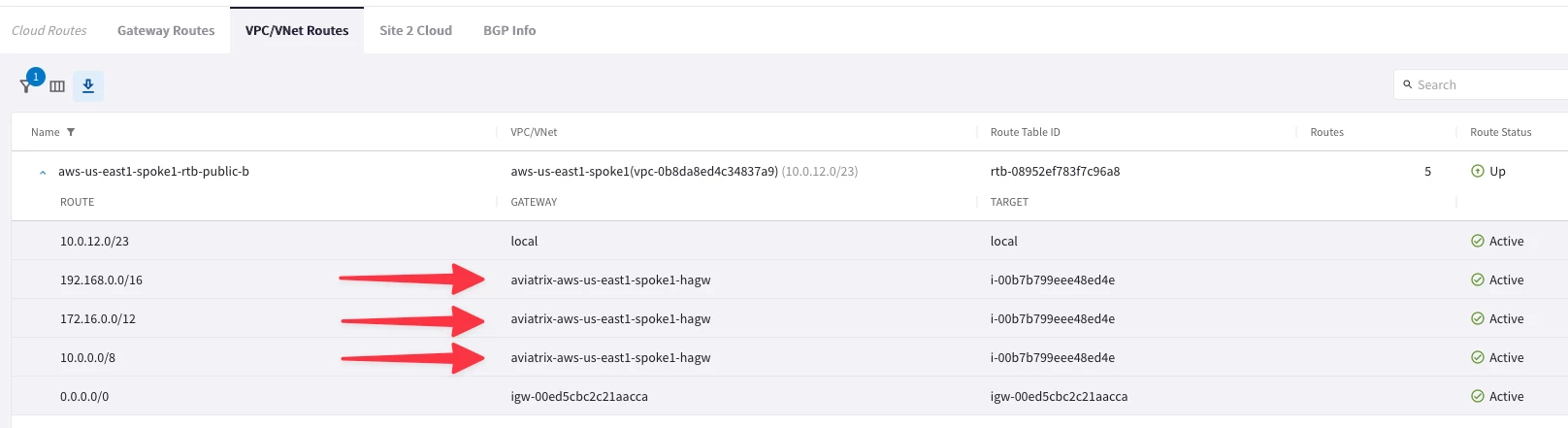
As you can see, Active/Active is achieved within a VPC as well. Each gateway is active on the Availability Zone where it resides.
6.2. Connectivity Test of ActiveMesh (Pt.1)
Test the EC2 instances in two subnets are pointing to two different routing tables. If one gateway goes down, the controller will switch the ENI of the available gateway in the routing table.
SSH into both EC2 test instances in aws-us-east1-spoke1 VPC (refer to your Pod assignment). These test instances are in separate AZs and their default gateways are two different Aviatrix Spoke gateways in their respective AZs.
Ping the EC2 test instance (10.0.1.100) in aws-us-east2-spoke1. It will fail. WHY? Because we didn’t enable segmentation on aws-us-east1-transit-agw and associate aws-us-east1-spoke1 with the transit gateway in the appropriate network domain.
6.3. Enable Segmentation
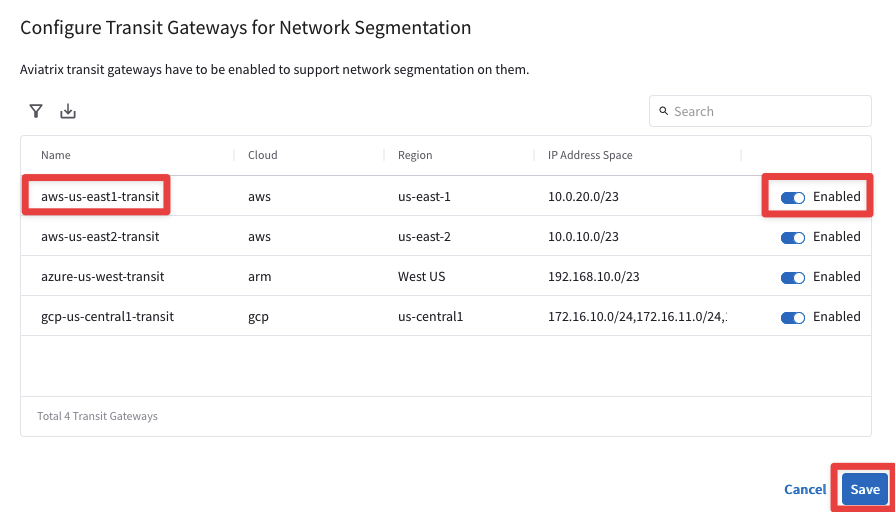
Go to CoPilot > Networking > Network Segmentation > Network Domains > Transit Gateways
Enable Segmentation on aws-us-east1-transit:
6.3.1. Associate Aviatrix Spoke to Network Domain
Go to CoPilot > Networking > Network Segmentation > Network Domains
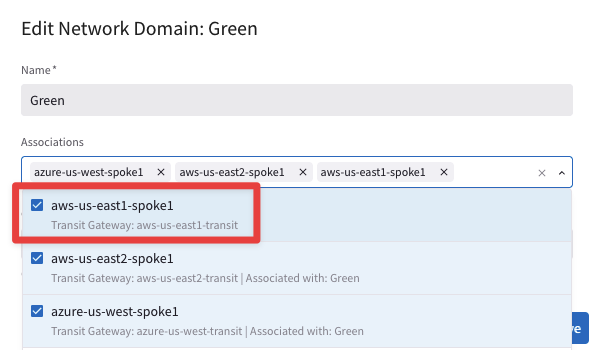
Associate aws-us-east1-spoke1 with its transit in the Green network domain:
6.4. Connectivity Test of ActiveMesh (Pt.2)
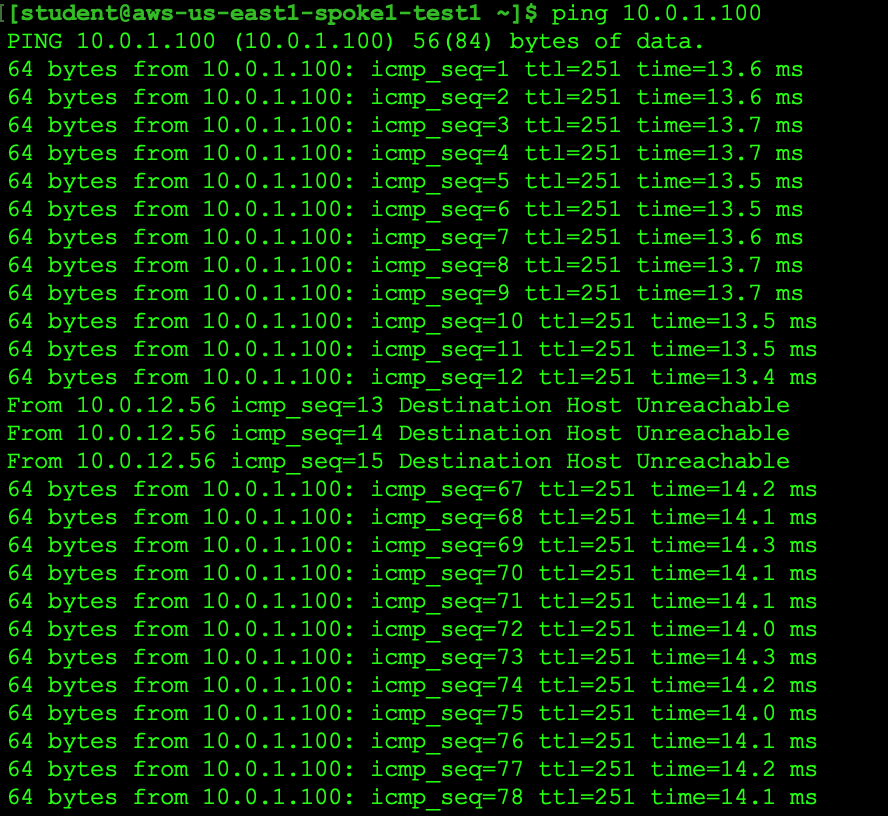
Now SSH to the aws-us-east1-spoke1-test1 in AWS US-East1 and launch ping towards aws-us-east2-spoke1-test1 in AWS US-East2.
SSH also to the aws-us-east1-spoke1-test2 in AWS US-East1 and launch ping towards aws-us-east2-spoke1-test1 in AWS US-East2.
Note: Please keep both the ping sessions running recursively on your SSH client!
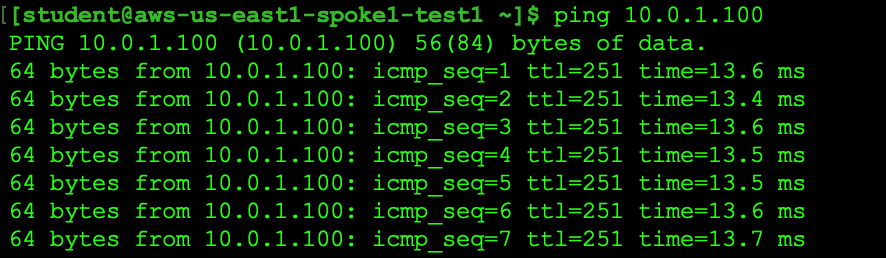
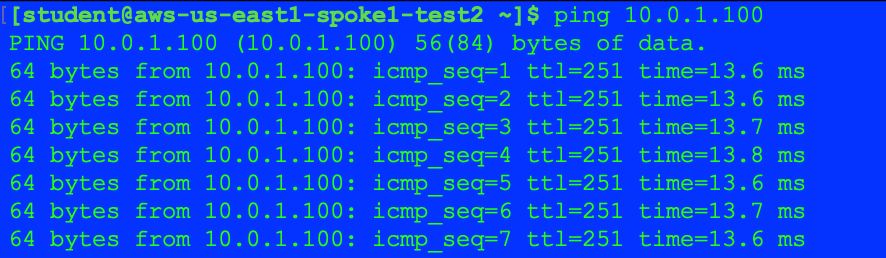
To demonstrate ActiveMesh capability, you will shut down temporarily one of the spoke gateways and notice traffic converging to the other gateway.
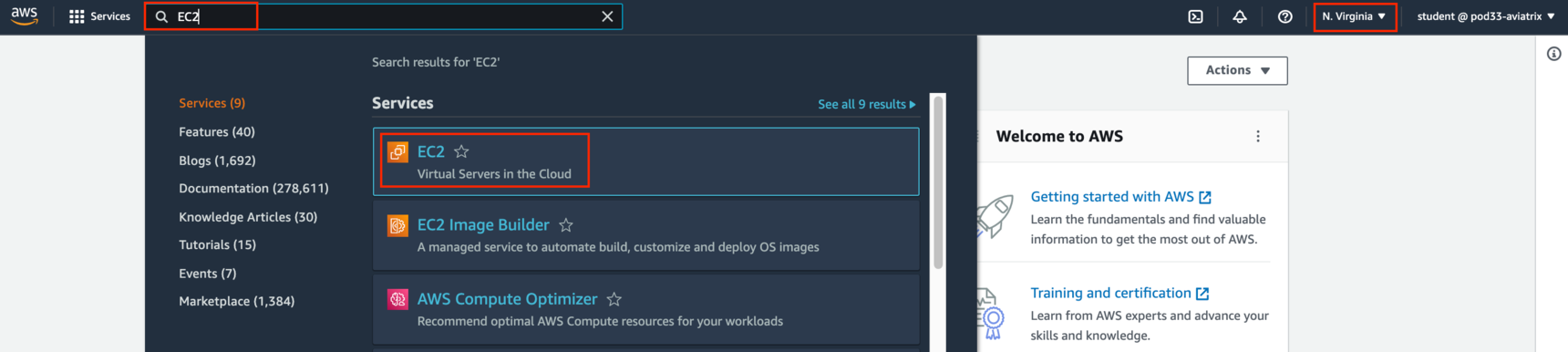
Login to AWS console. Refer to your pod info for login information (this screenshot is for Pod 100):

Change the region to N. Virginia and invoke EC2 service.
Click on Instances (running):
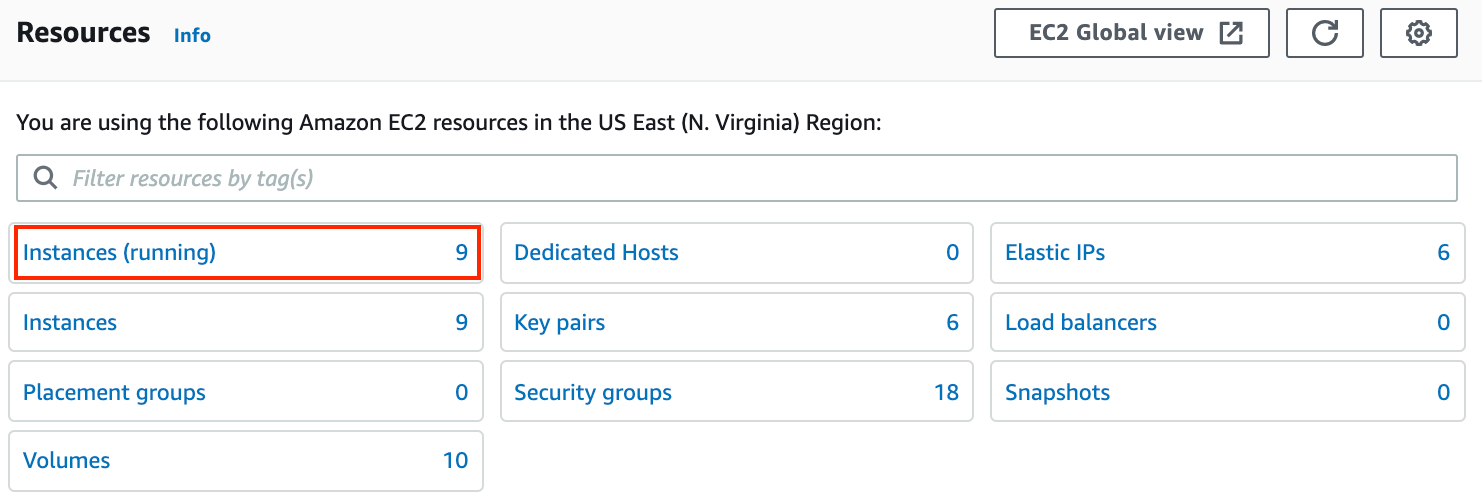
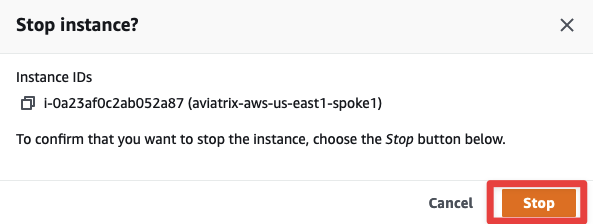
Search for aviatrix-aws-us-east1-spoke1 and then select Instance state > Stop instance

Confirm by clicking on Stop one more time.
You will notice ping drops solely from aws-us-east1-spoke1-test1. The traffic will reconverge to the spoke gateway in the other AZ, in about 1 minute and 30 seconds to 2 minutes.
This shows how the Aviatrix Controller intelligently auto-heals the VPC routing.
Bonus Step: Restart the Gateway from the AWS console and reverify the traffic flow.

After this lab, this is how the overall topology would look like:
7. FlightPath
Go to CoPilot > Diagnostics > AppIQ > FlightPath
Use the following inputs:
- Source: aws-us-east1-spoke1-test1
- Destination: aws-us-east2-spoke1-test1
- Protocol: TCP
- Port: 443
- Interface: Private
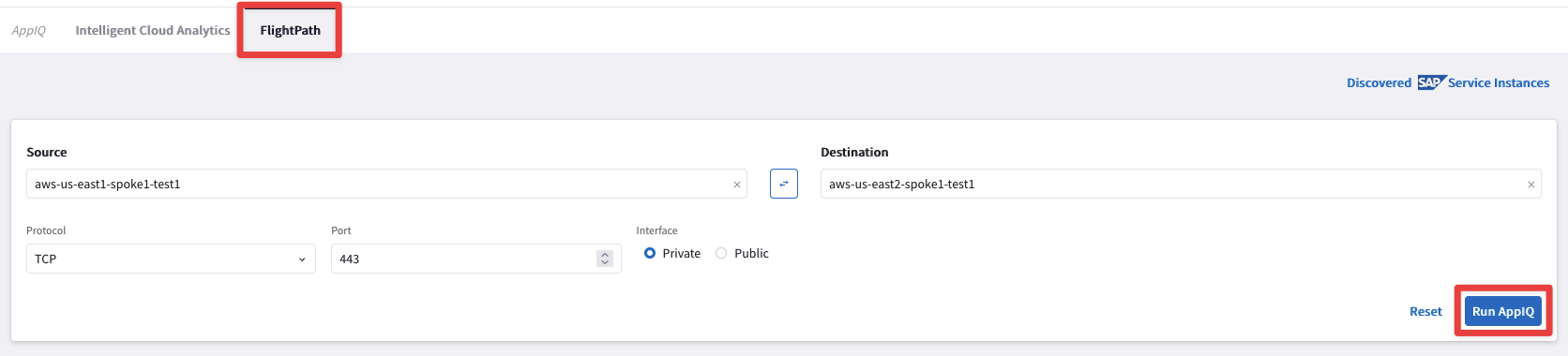
This will provide an AppIQ report of how aws-us-east1-spoke1-test1 is connected with aws-us-east2-spoke1-test1 and display the path along with end-to-end latency.
Note: You might see some links still depicted in red, after having restarted the Spoke Gateway. Be patient and relaunch the report and you will get the same outcome as depicted below.
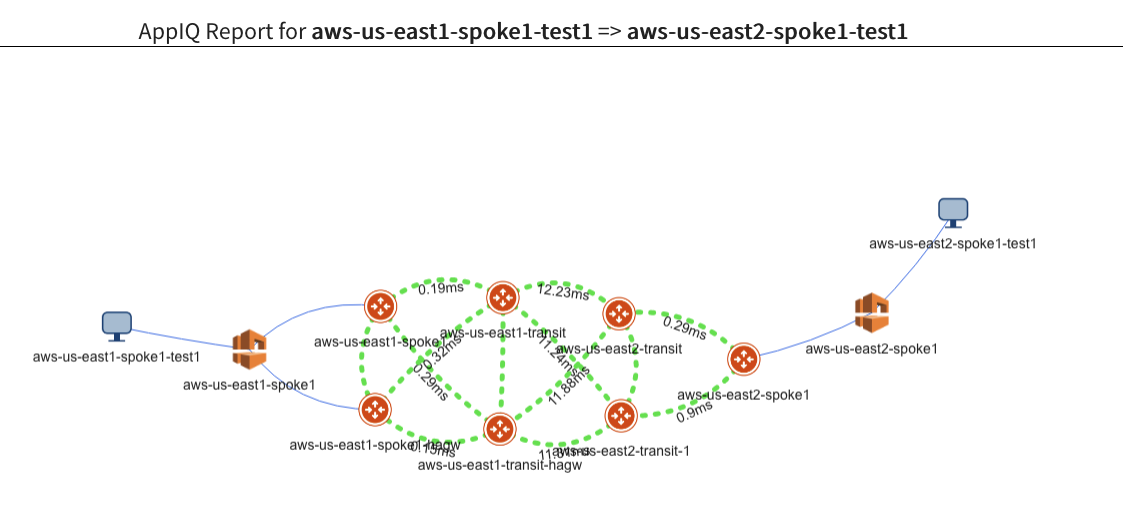
Scroll down to get more details about:
- The latency between each pair of gateways
- Performance monitoring metrics of all gateways in the path
- FlowIQ between the two instances
- Security group checks
- NACL checks
- Routing tables
You can also download the entire report in pdf format by clicking the PDF icon at the top right corner:

Bonus questions
Gateway Keepalive Templates
Experiment with Gateway keepalive templates and retest convergence times when bringing down a spoke gateway.
Transitive Routing
Note: The test instances in aws-us-east1-spoke1 are not able to communicate with the test instances in GCP or in Azure.
You can verify this with the Gateway routing table on the CoPilot > Diagnostics > Cloud Routes > Gateway Routes > aws-us-east1-transit. You will not see the GCP Spoke routes of 172.16.1.0/24.
Why is that?
What would be needed to make those routes visible?